

Overview
This page showcases the UI mockups for the DEVision Job Manager platform, organized by feature area. These mockups represent the visual design for the Job Manager (JM) subsystem.Authentication
Sign Up
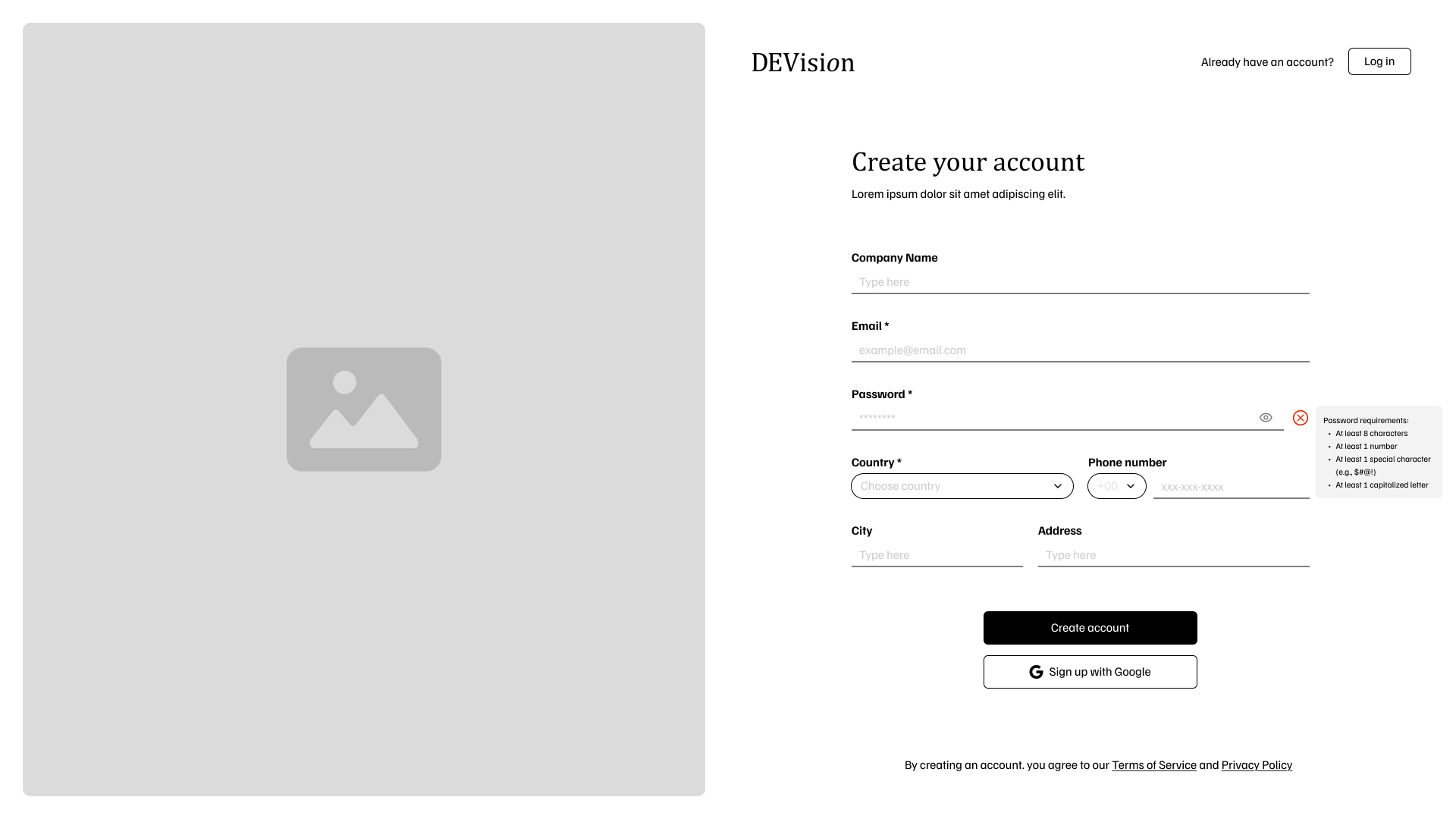
- Company Name, Email, and Password (required)
- Password strength requirements displayed
- Country selection with dial code
- Phone number, City, and Address fields
- Google SSO option
Login
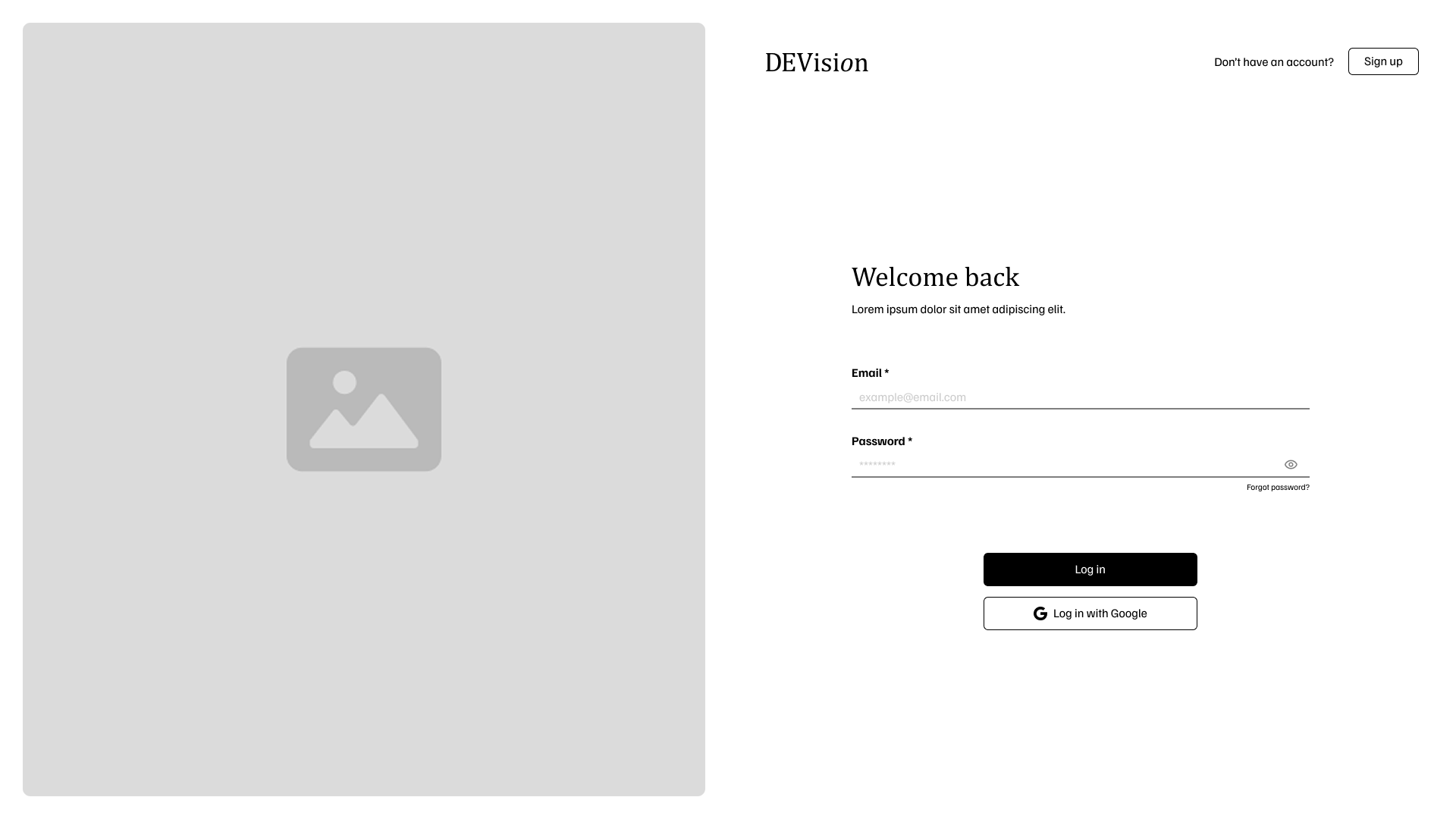
- Email and password authentication
- “Forgot password?” recovery link
- Google SSO alternative
Dashboard
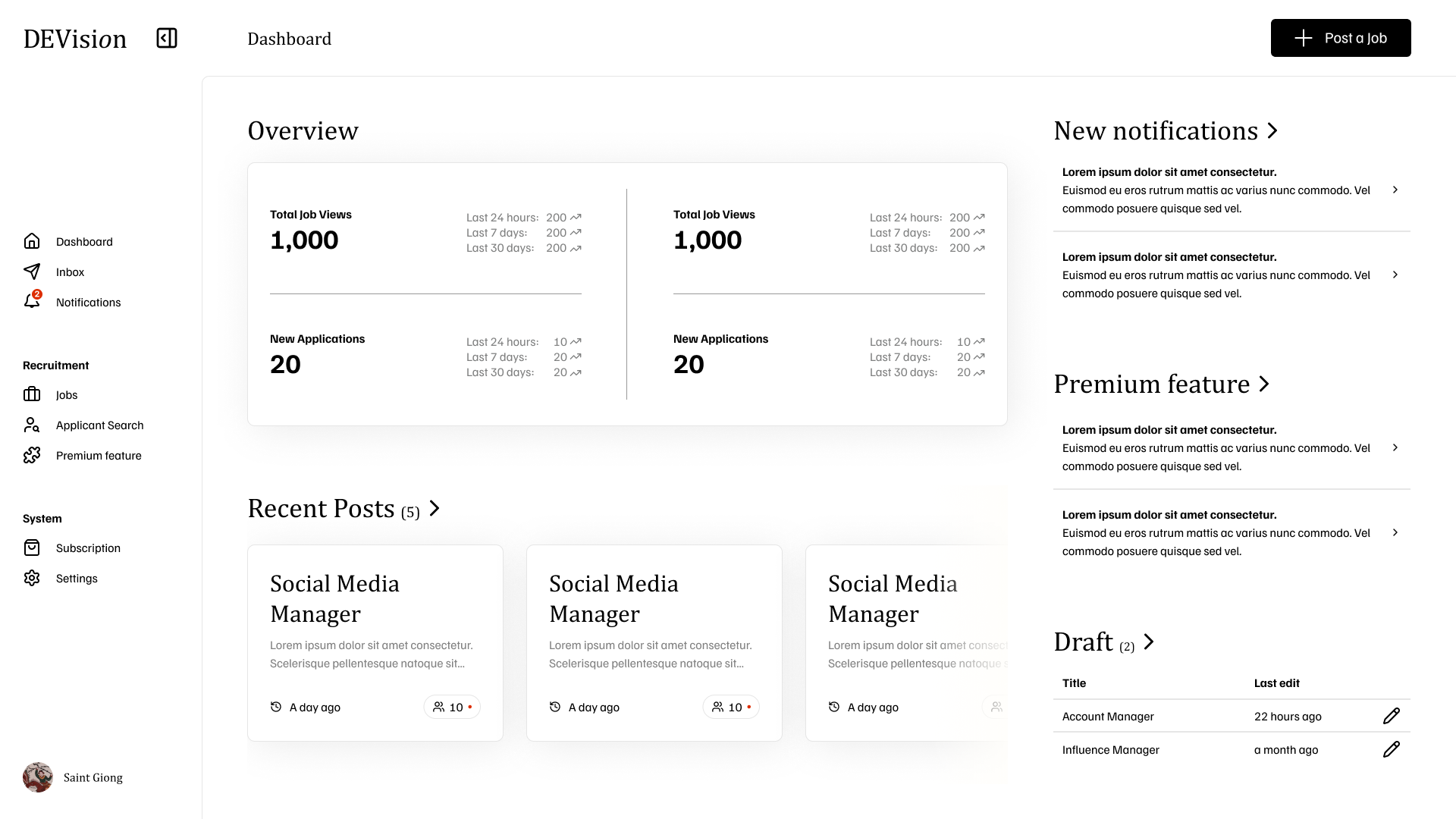
- Overview Cards: Total Job Views and New Applications with trend data
- Recent Posts: Quick view of latest job postings
- Right Panel: Notifications, Premium features, and Draft posts
Company Profile
Profile View
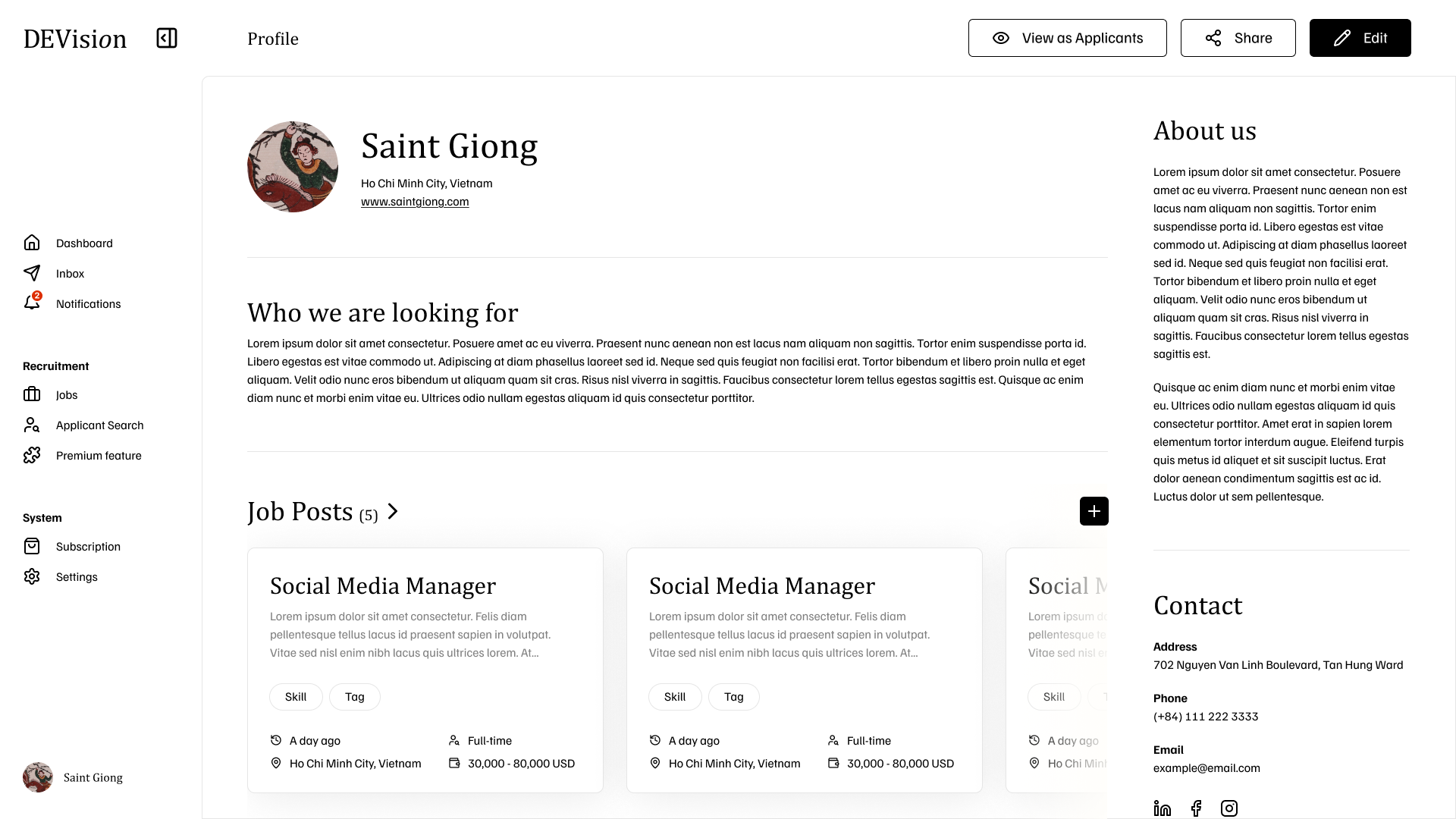
- Company logo, name, and location
- “Who we are looking for” description
- Active job posts with skill tags
- About us and Contact information sidebar
Profile Edit
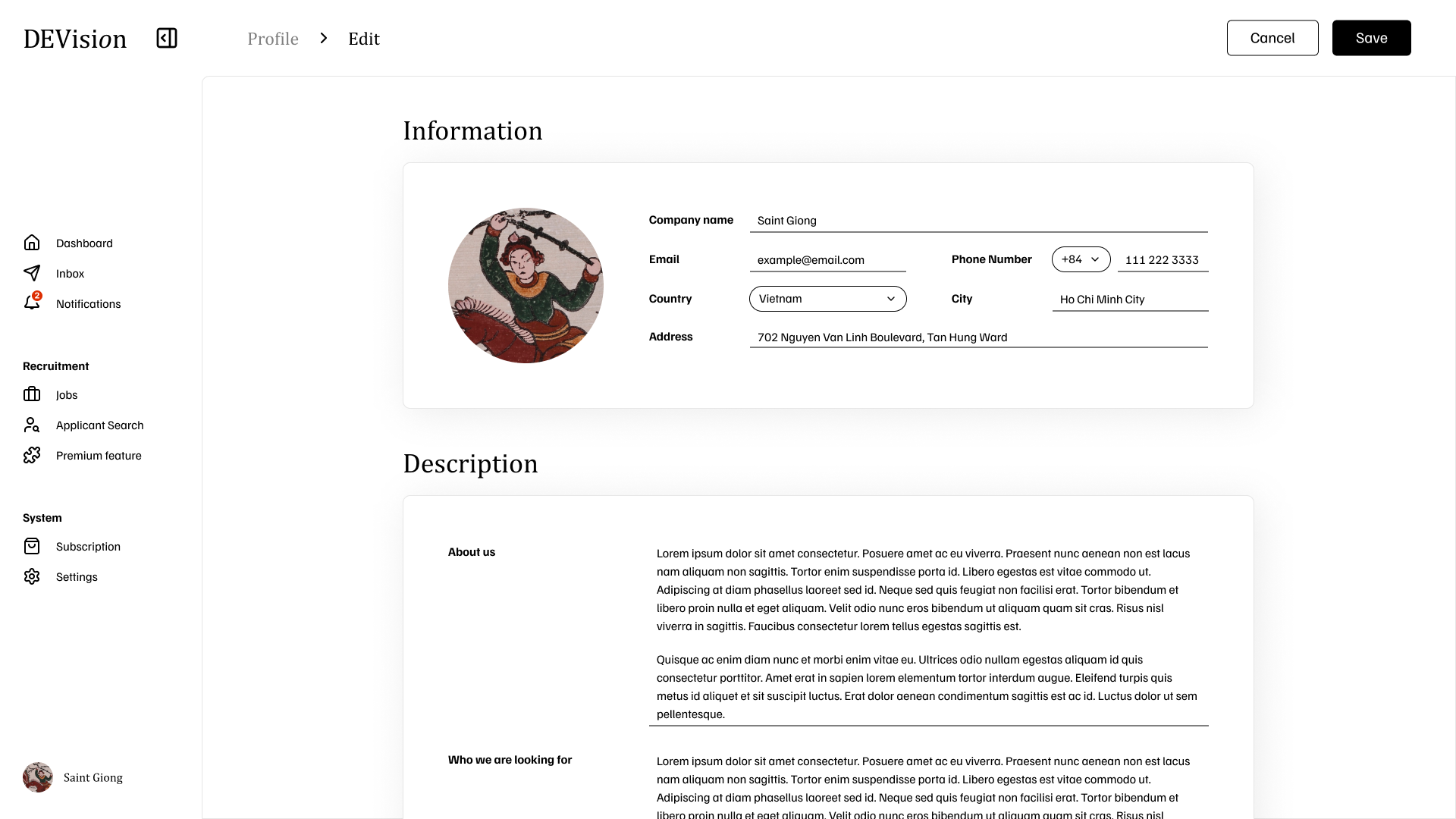
- Company information (name, email, phone, country, city, address)
- Logo upload
- “About us” and “Who we are looking for” descriptions
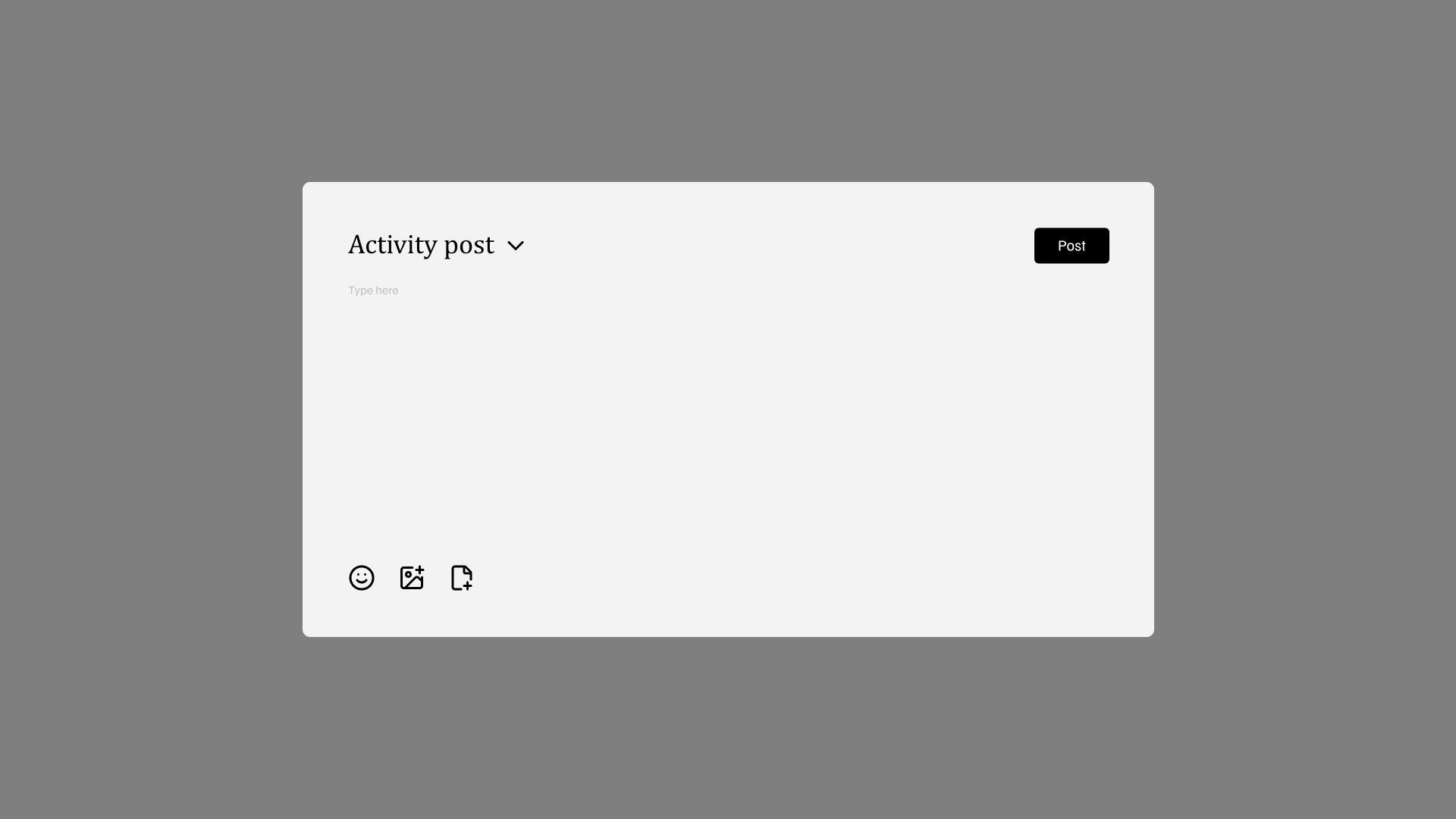
Activity Post
Job Management
Jobs List
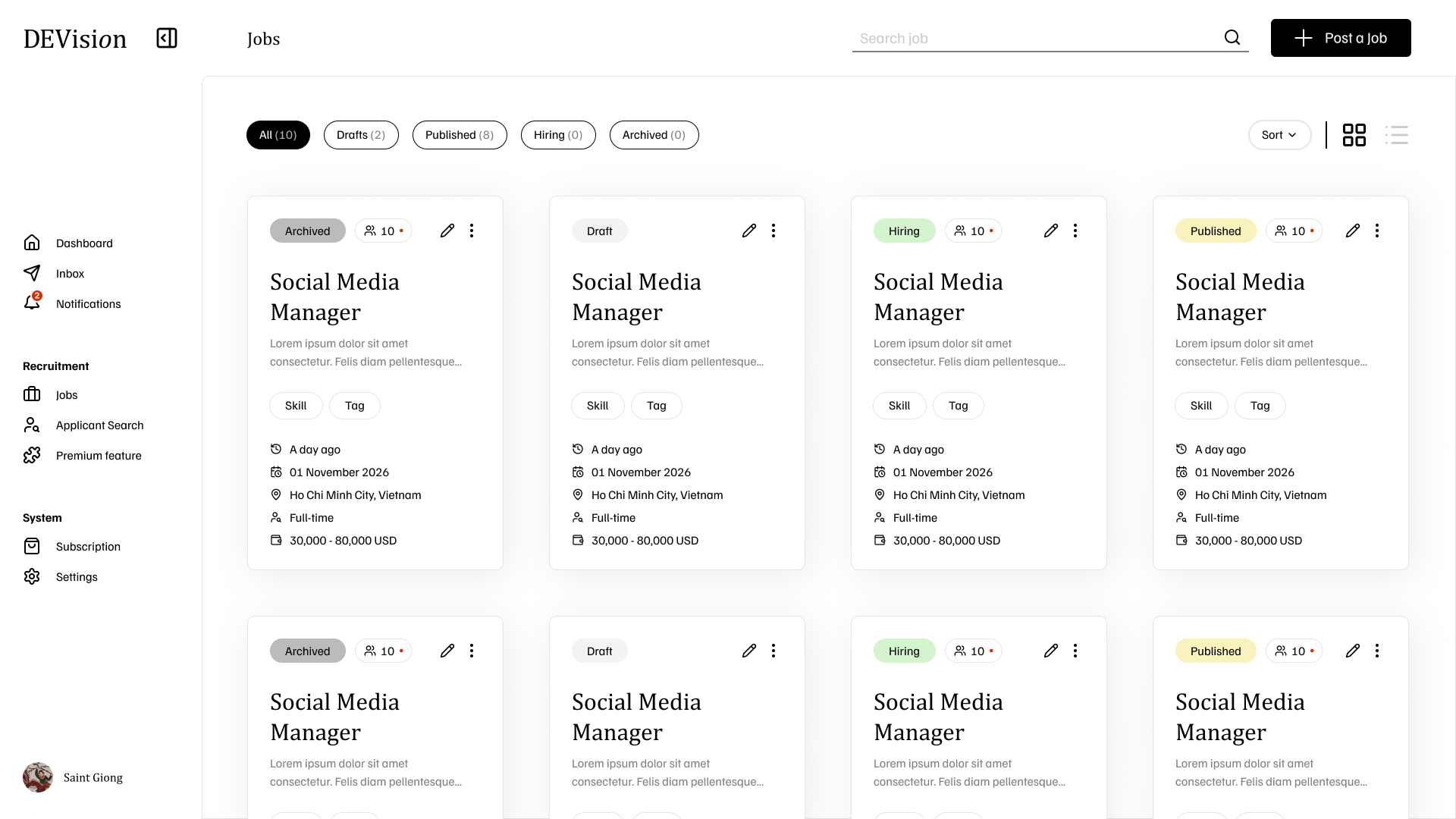
- Status filters: All, Drafts, Published, Hiring, Archived
- Grid/List view toggle
- Job cards with status badges, skills, location, and salary
- Applicant count indicators
Job Detail
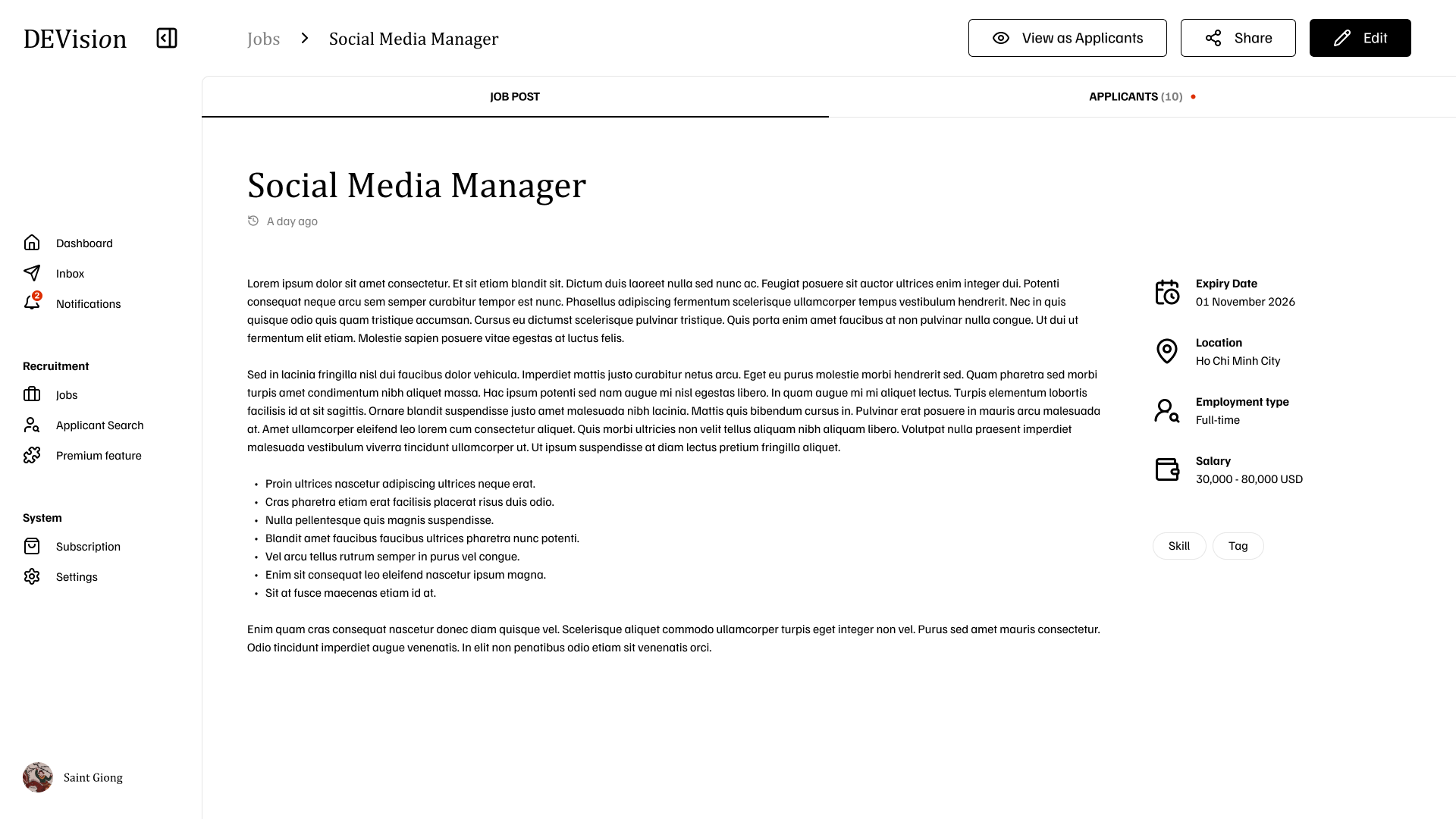
- Full job description with requirements
- Sidebar with expiry date, location, employment type, salary, and skills
- Tabs for Job Post and Applicants
- Actions: View as Applicants, Share, Edit
Salary Options
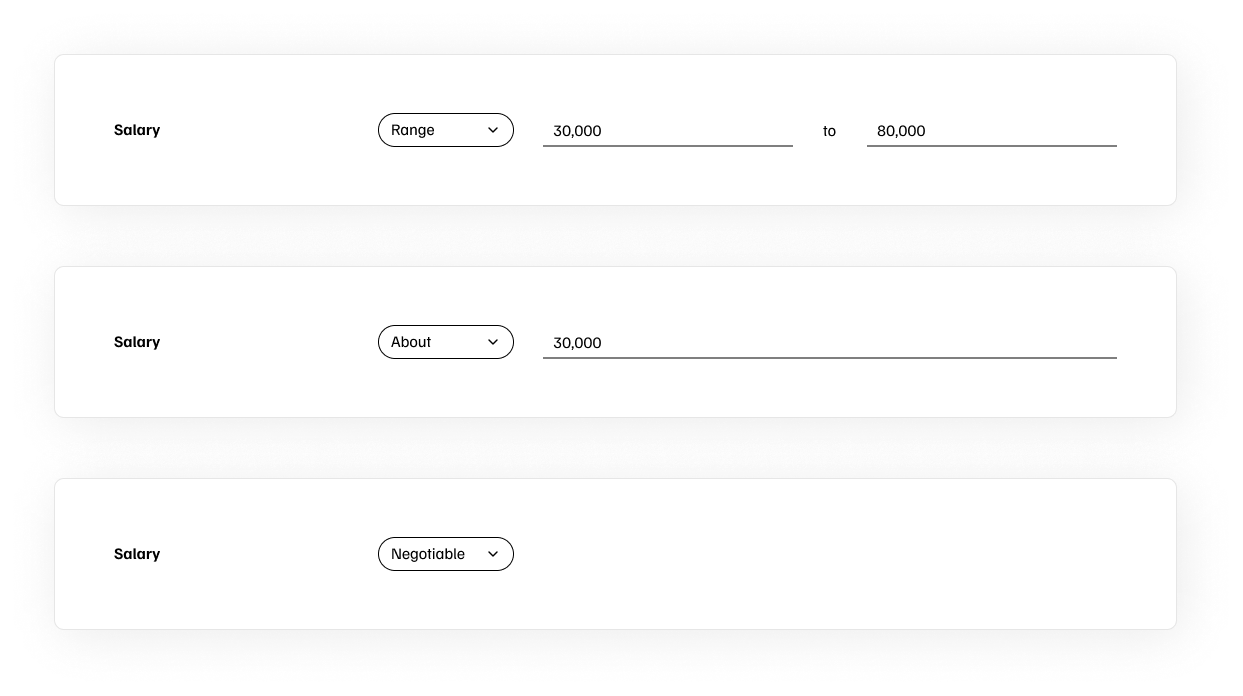
- Range: 30,000 to 80,000
- About: ~30,000
- Negotiable: Salary to be discussed
Application Management
Applicants List
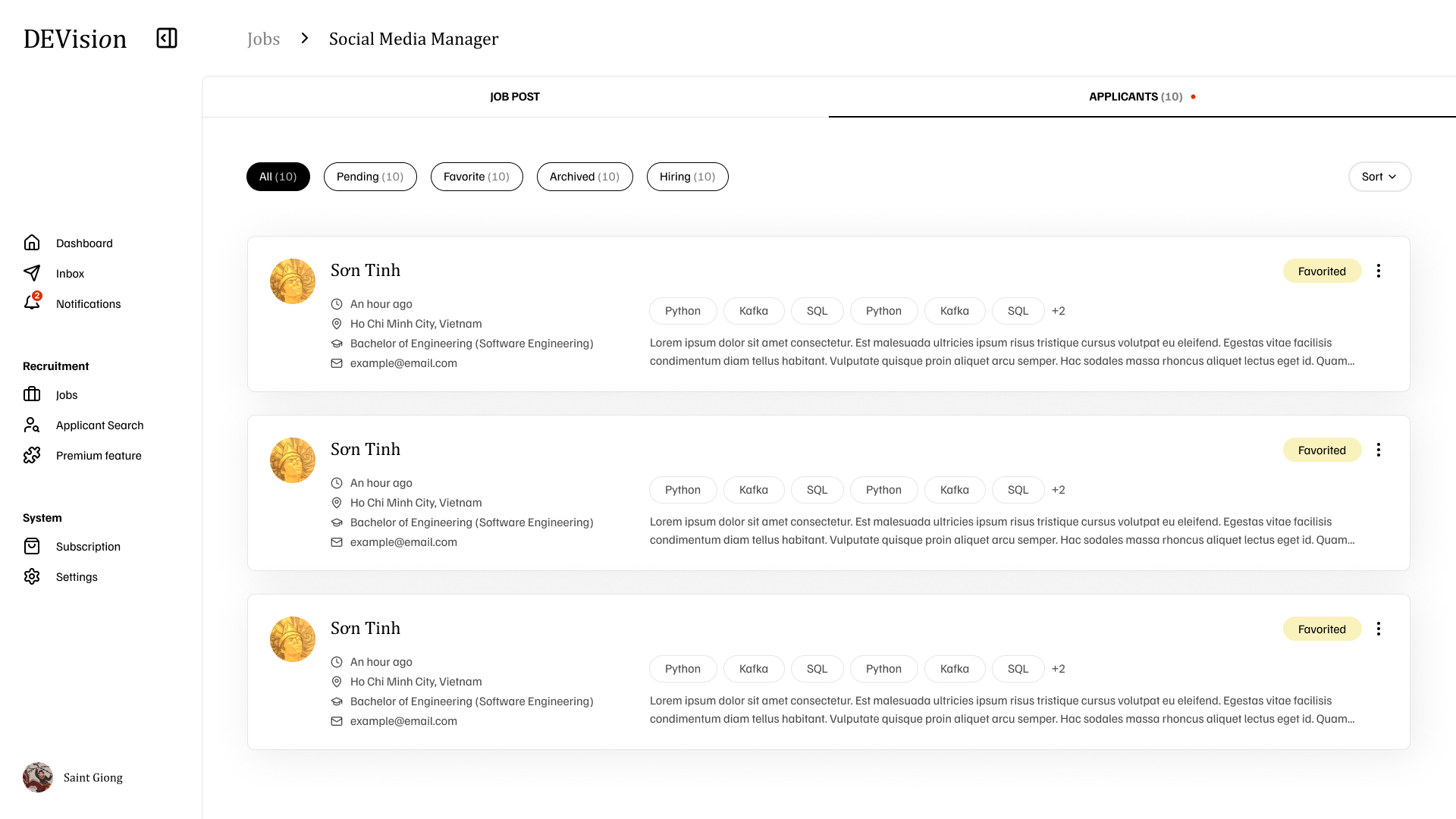
- Status filters: All, Pending, Favorite, Archived, Hiring
- Applicant cards showing name, location, education, email
- Skill tags (Python, Kafka, SQL, etc.)
- Favorite status indicators
Applicant Detail
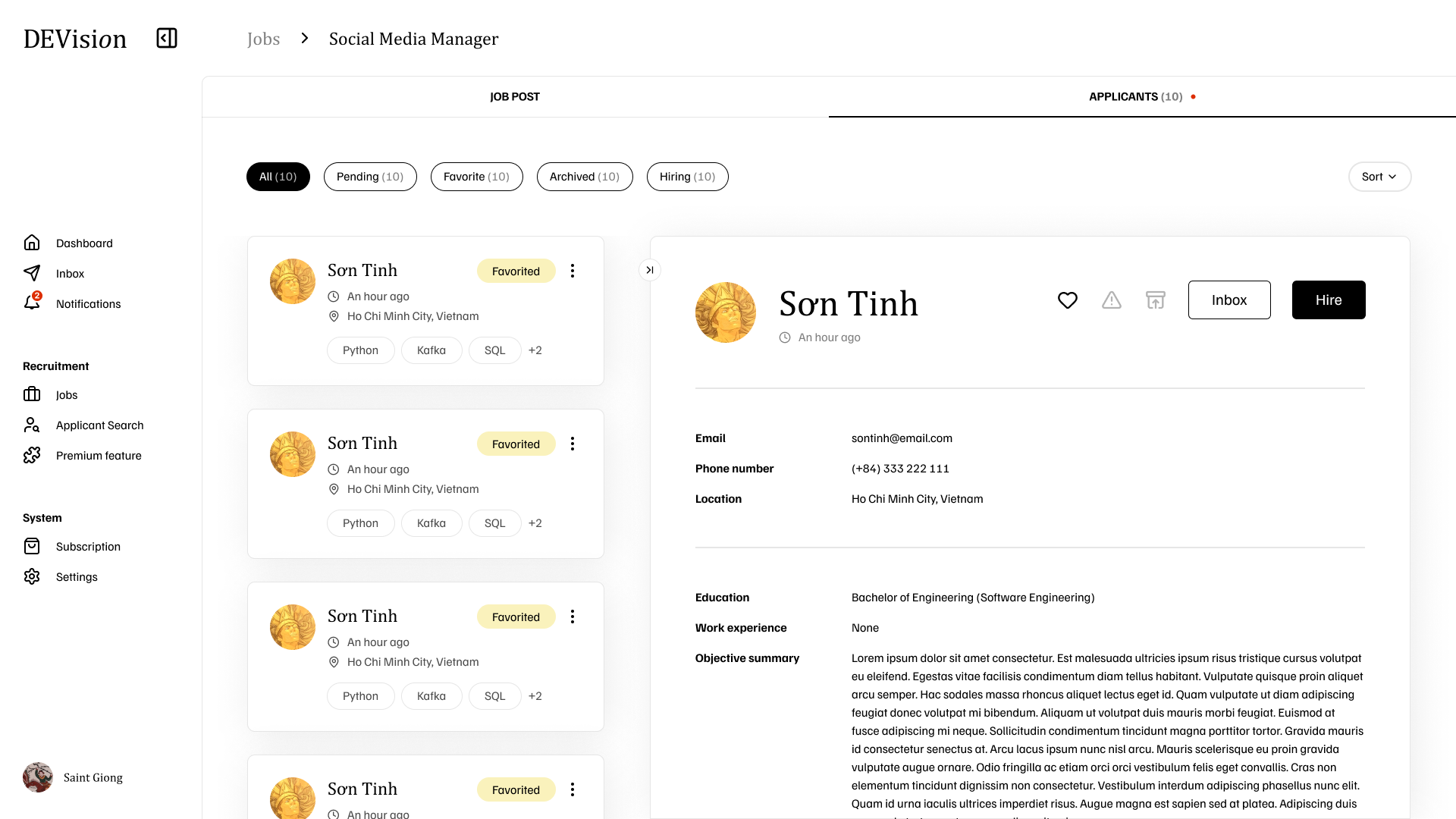
- Contact information (Email, Phone, Location)
- Education and Work experience
- Objective summary
- Action buttons: Favorite, Warning flag, Inbox, Hire
Subscription
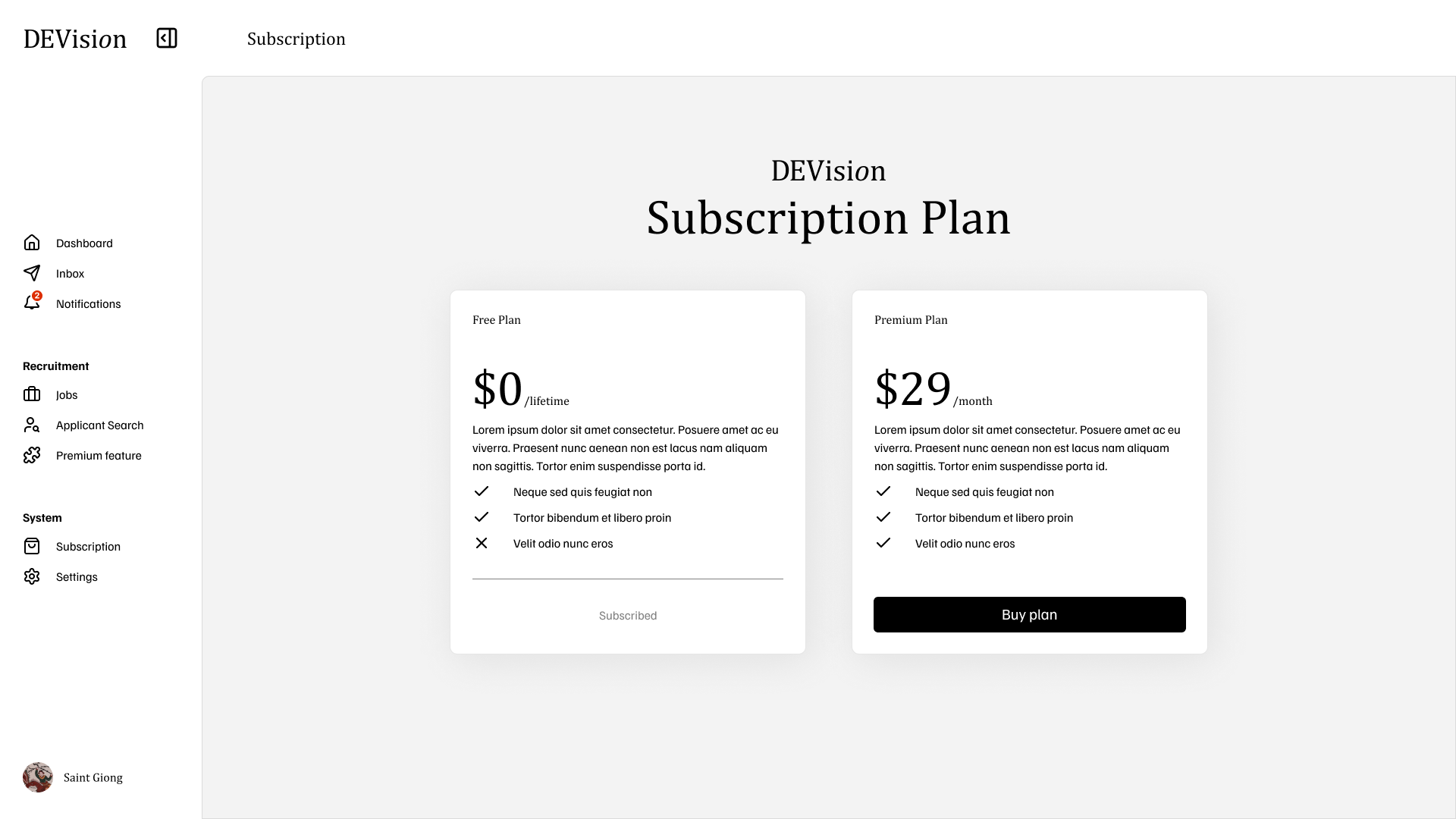
- Free Plan: $0/lifetime with basic features
- Premium Plan: $29/month with full access to all features