

Overview
The Authentication module handles company registration and login for the Job Manager subsystem, providing secure access control with multiple authentication methods.Company Registration
Registration Interface
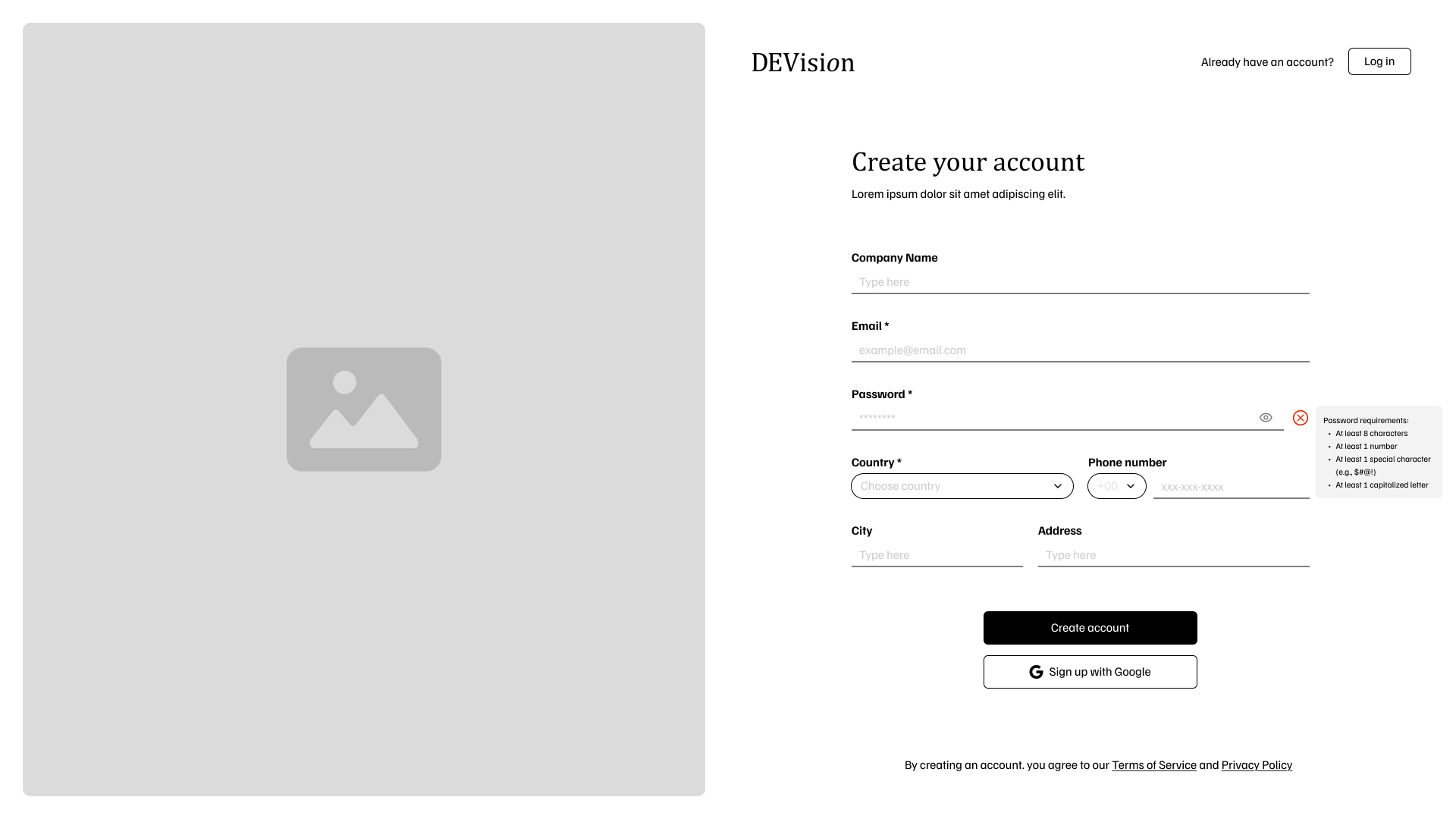
Simplex Level (Basic)
Registration Form (1.1.1)
Registration Form (1.1.1)
The system provides a registration form with:
- Required fields: Email, Password, Country
- Optional fields: Phone Number, Street Name/Number, City
Unique Email Constraint (1.1.2)
Unique Email Constraint (1.1.2)
The system enforces unique email addresses - no two companies can share the same email in the database.
Account Activation (1.1.3)
Account Activation (1.1.3)
- System sends activation email to new companies
- Companies can only login after account activation
Country Selection (1.2.4)
Country Selection (1.2.4)
Country must be selected from a dropdown list, not entered as text.
Medium Level
Password Validation (1.2.1)
Password Validation (1.2.1)
Password must meet the following criteria:
- At least 8 characters
- At least 1 number
- At least 1 special character ($#@!)
- At least 1 capitalized letter
Email Validation (1.2.2)
Email Validation (1.2.2)
Email must meet standard formatting:
- Contains exactly one ’@’ symbol
- At least one ’.’ after the ’@’
- Total length less than 255 characters
- No spaces or prohibited characters (; : ( ))
Phone Number Validation (1.2.3)
Phone Number Validation (1.2.3)
If provided, phone number must:
- Contain only digits
- Start with valid international dial code (+84, +49, etc.)
- Digits after dial code must be less than 13
Frontend & Backend Validation (1.2.4)
Frontend & Backend Validation (1.2.4)
- Frontend: Quick user feedback
- Backend: Security validation
- Clear error messages displayed to users
Ultimo Level (Advanced)
SSO Registration (1.3.1)
SSO Registration (1.3.1)
Support registration via Single Sign-On from ONE platform:
- Microsoft
- GitHub
SSO Profile Persistence (1.3.2)
SSO Profile Persistence (1.3.2)
- System persists core company profile (name, email, country)
- SSO users cannot use password for system access
Database Sharding (1.3.3)
Database Sharding (1.3.3)
- Select user attribute as sharding key
- Partition and store data in designated shard
- Enhance search algorithm performance
Company Login
Login Interface
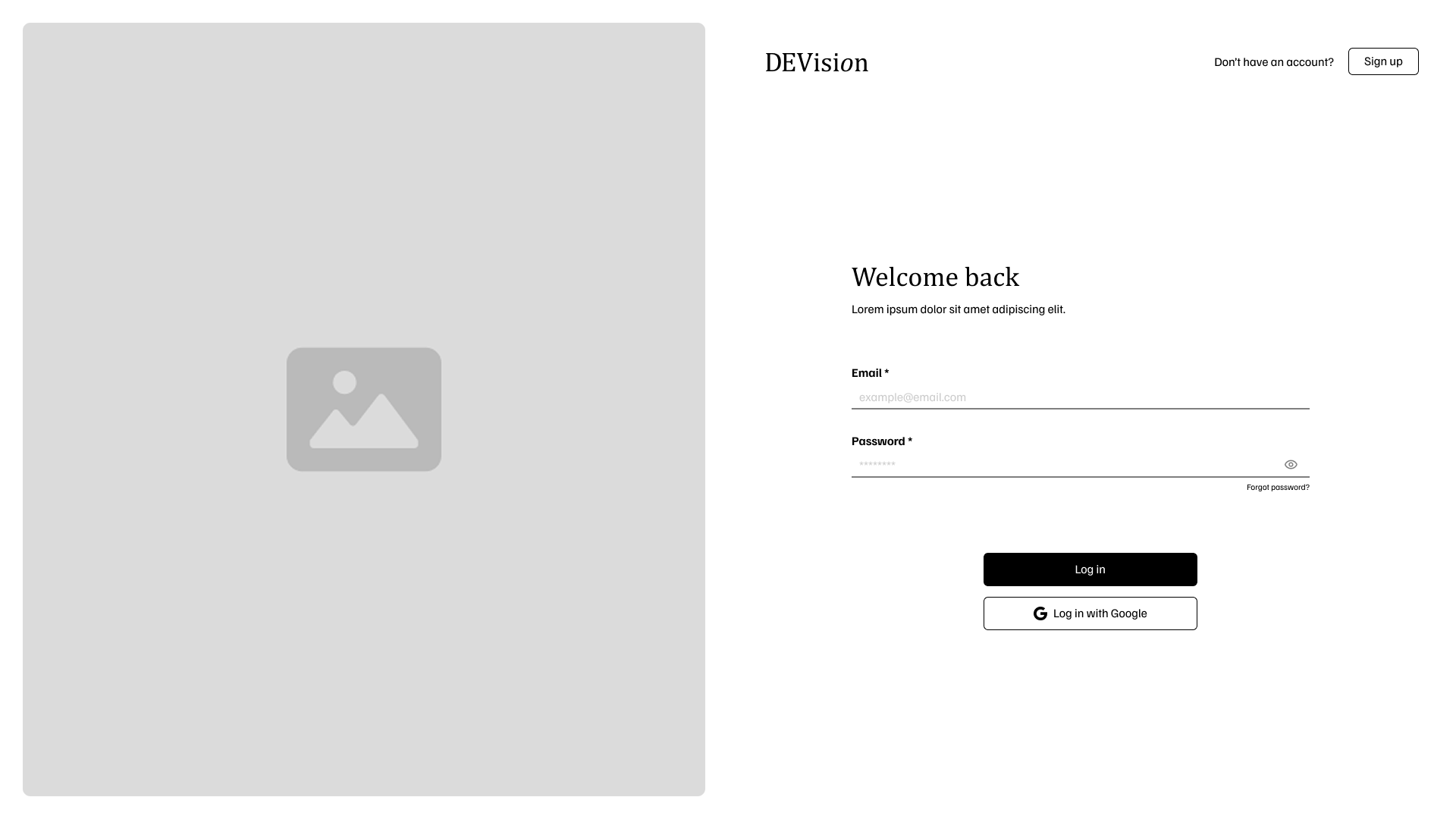
Simplex Level
Basic Authentication (2.1.1)
Basic Authentication (2.1.1)
System authenticates using email and password:
- No HTTPS: Use Basic Authentication format
- With HTTPS: Send credentials in request body plaintext
JWS Token (2.1.2)
JWS Token (2.1.2)
Upon successful login:
- Generate JSON Web Signature (JWS) token
- Contains signed user identity data (ID, Role)
- Verifies token integrity
Medium Level
JWE Token (2.2.1)
JWE Token (2.2.1)
Generate JSON Web Encryption (JWE) token instead of JWS:
- Contains user identity (ID, Role)
- Payload is encrypted
- Cannot be read by unauthorized parties
Brute-Force Prevention (2.2.2)
Brute-Force Prevention (2.2.2)
- Block authentication after 5 failed attempts
- Within 60-second window
- Prevents brute-force attacks
Token Invalidation (2.2.3)
Token Invalidation (2.2.3)
Invalidate and revoke JWE token when:
- User explicitly logs out
- Token reaches expiration time
Ultimo Level
SSO Login (2.3.1)
SSO Login (2.3.1)
Support login using account from selected external platform (same as registration).
Redis Token Cache (2.3.2)
Redis Token Cache (2.3.2)
- Dedicated Redis cache for token revocation status
- Quick check for non-SSO accounts
- Improves security performance
Token Refresh Mechanism (2.3.3)
Token Refresh Mechanism (2.3.3)
For non-SSO accounts:
- Short-lived Access Token
- Longer-lived Refresh Token
- Maintain session without frequent re-authentication